
Safeva
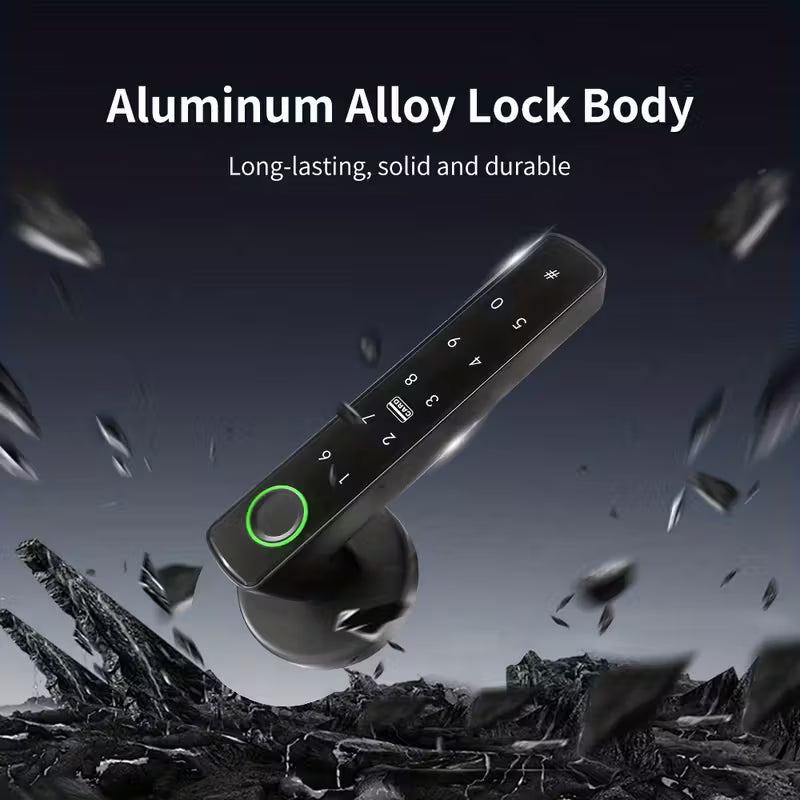
Safeva™ ProGuard Digital Door Lock


Why Choose Safeva?
Compare Safeva's advanced home security solutions with traditional competitors. See why South African homeowners trust us for smarter, more affordable protection.

|
Traditional Security | |
|---|---|---|
Smart Technology Integration |
||
24/7 Remote Access & Monitoring |
||
Easy DIY Installation |
||
No Monthly Monitoring Fees |
Safeva Results
Real results from South African homeowners who've chosen Safeva for their home security. See how our smart security solutions are making homes safer and giving families peace of mind.
Proven Results That Matter
98%
Customer Satisfaction Rate - Homeowners trust Safeva for reliable, 24/7 protection
50%
Reduction in Break-in Attempts - Smart technology deters criminals and protects your property
98%
15-Minute Easy Installation - DIY setup means protection in just 15 minutes, no technician needed
Based on customer feedback and security data from 5,000+ protected homes across South Africa.
Testimonials
-
★★★★★

Nkululeko Mpanza
Safeva has completely transformed how I protect my home. The smart lock installation was incredibly easy, and I can monitor everything from my phone while at work. My family feels so much safer knowing I can check on them anytime. Highly recommended!
-
★★★★★
Leah Botha
As a working mum, Safeva's home security system gives me peace of mind every single day. The remote monitoring feature is a game-changer, and the customer service team is absolutely brilliant. Best investment I've made for my family's safety!
-
★★★★★
Rajesh Naidoo
I was skeptical about smart home security, but Safeva proved me wrong. The installation was straightforward, the system is reliable, and the value for money is exceptional. I can now monitor my Durban property 24/7. Fantastic product and service!

Frequently Asked Questions
What if I get locked out?
You can unlock your door using your PIN code, fingerprint, or physical key. If you're away from home, you can unlock it remotely through the app (if WiFi is connected). If you've forgotten your PIN, you can reset it through the app. We also recommend setting up emergency access codes for trusted family members. Your security and access are our top priorities.
Is it compatible with my door?
Our smart locks are compatible with most standard doors in South Africa. They work with single and double cylinder deadbolts and fit doors with standard backset measurements (45mm or 60mm). Before purchasing, we recommend checking your door's specifications.
How do I grant access to family members or visitors?
Managing access is simple and secure through our mobile app. You can create temporary or permanent access codes for family members, domestic workers, guests, or service providers. Each person gets their own unique PIN code or can use their fingerprint. You can set time-based access restrictions (for example, allowing a cleaner access only on Tuesdays from 9am-12pm) and receive notifications whenever someone enters. You can revoke access instantly at any time. This gives you complete control over who can enter your home and when.
Can I still use a physical key?
Yes, absolutely. All our smart locks retain a traditional physical key slot as a backup. You can use your physical key to unlock the door at any time, whether the battery is dead, the app isn't working, or you simply prefer the traditional method. This dual-access approach ensures you always have a way to enter your home. We recommend keeping your physical key in a secure location as a backup. The physical key works seamlessly alongside all the smart features.
How easy is it to install the smart lock?
Installation is straightforward and can typically be completed in 15-30 minutes without professional help. Our smart locks are designed as a direct replacement for your existing deadbolt, so no structural modifications to your door are needed. We provide a comprehensive installation guide with step-by-step instructions.
Will it work during load shedding or power outages?
Yes, absolutely. Our smart locks are equipped with a high-capacity backup battery that provides 6-12 months of operation during complete power loss. The lock will continue to function normally with your PIN code, fingerprint, or physical key. You'll receive low battery notifications well in advance, giving you plenty of time to replace the batteries. We've specifically engineered our locks to handle South Africa's load shedding challenges, so you can have peace of mind knowing your home remains secure regardless of power availability.
Is my data secure and encrypted?
Security is our top priority. All data transmitted between your smart lock and our app is encrypted using military-grade AES-256 encryption, the same standard used by banks and government institutions. Your access logs, PIN codes, and biometric data are stored securely on encrypted servers with regular security audits. We comply with international data protection standards and never share your personal information with third parties. Your home security data remains completely private and under your control.
What happens if my phone battery dies?
Your smart lock operates independently of your phone battery. You can always unlock your door using your PIN code, fingerprint, or physical key—no phone required. The mobile app is simply a convenient way to manage access remotely and monitor activity. Even if your phone is completely dead, your lock will function perfectly. The lock's own backup battery ensures continuous operation, so you'll never be locked out due to a dead phone.
Do I need WiFi for it to work?
No, WiFi is not required for basic lock operation. Your smart lock works offline using Bluetooth connectivity with your smartphone for local control. However, WiFi is recommended if you want to unlock your door remotely when you're away from home, receive real-time notifications, or manage access for multiple users. If you don't have WiFi, you can still use PIN codes, fingerprints, and physical keys to operate the lock normally. We offer flexible connectivity options to suit your needs.